


Access the interactive diagram for this lesson here. (It may ask you to create a free account in order to view. You do not need paid features to view this course’s content so you can ignore that!)
Let’s take a look at what a typical AWS cloud architecture would look like.
Here we have the AWS cloud represented as a rectangle. Think of this as the space where we can launch AWS resources from within our own AWS accounts.

The main building block of AWS is called the Virtual Private Cloud, or VPC, which we’ll show as this big green rectangle in our diagram.

When you first create an AWS account and log in, AWS creates what’s called a “Default VPC” on your behalf. They do this to make it easier for everyone to create resources without having to spend a lot of time and effort into creating their own custom VPCs.
However, Default VPCs have very limited uses and most users will quickly grow out of them, which is why it’s important to understand how VPC networks work, and that’s going to be our first technical topic that we cover in this course.
Within a VPC, we can launch all kinds of resources. Not all AWS resources get launched in VPCs as we’ll see shortly, but many do.
For example, if we want to launch a cloud instance, known as an EC2 instance, we would launch that instance within our VPC.
However, to be able to do that, we first have to create sub networks, or subnets, within our VPC.

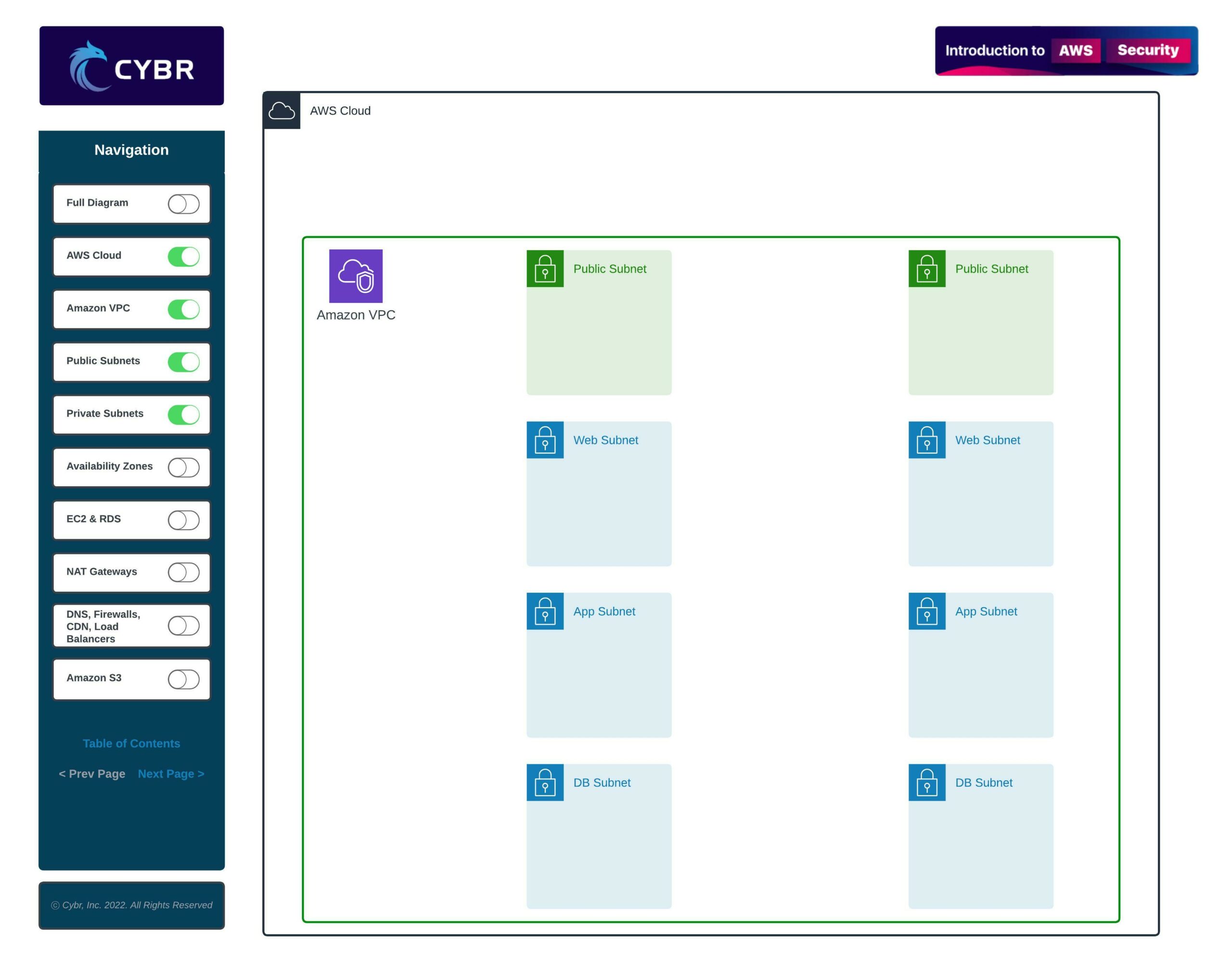

These subnets are multi-purpose, but overall, they help create logical network segmentation — this is similar to if you were to take network switches and create multiple separate networks with those switches. Segmentation like this is super helpful for a number of reasons:
- They provide a level of security — we can place private resources in private subnets that can’t be accessed from the open Internet, and completely control what traffic is allowed to flow in and out of these private subnets
- They help organize resources — by creating multiple different subnets, we can designate subnets to have specific purposes. For example, we could have a subnet dedicated to hosting databases, another subnet dedicated to hosting application servers, and another for web servers
There can also be resources that we can launch within our VPCs but that don’t need to be within one specific subnet, such as Amazon EFS which provides shared storage, Amazon ElastiCache which provides caching for applications, or even something like an Elastic Load Balancer, or ELB, which distributes traffic and load between instances.


Then, we can also create resources that don’t reside within a VPC, but that still live within the AWS cloud.
For example, we may need to have a storage service like Amazon S3 to store static files and backups.
We may need a Content Distribution Network, or CDN, such as Amazon CloudFront to sit in front of our web applications.
We may also want to deploy firewalls in front of our VPC and instances, such as the AWS WAF, or Web Application Firewall, and a DDoS protection service called AWS Shield.

Finally, we need a way of routing requests to and from the open Internet, which means we may want to use Amazon Route 53, which is their DNS service.

I’m sure this seems like a lot, especially if you’re new to AWS, but don’t let it overwhelm you. The reason we are starting out by showing a diagram and architecture like this is because this course is going to cover security aspects that cover each and every one of these layers, but we’re going to take it one step at a time.
By the time we are done with this course, you’ll be able to come back to this diagram and not only understand what’s going on, but also how to look at this from a security perspective, and how to apply it to your own architecture and environments.
Speaking of, let’s complete this lesson, and let’s move on to the next where we’ll talk about security concerns with this architecture.
Really helpful diagram !
Awesome, glad it helped and thank you for the feedback!
The diagram is simply brilliant for understanding.
Awesome!! I’m glad the diagram helps, thank you for letting me know
I am transitioning from Azure (EntraID) to AWS this diagram helped me to differentiate the names each platform uses:
VPC ==> VNET
EC2 ==> VM
AMAZON S3 ==> Blob Storage.
Nice! Appreciate you sharing. Feel free to do that with other services as well as you progress through the course, I’m sure it will help others in a similar situation!
nicely explained!
Thanks for the feedback!
I am from Network and Security, with foundation in cloud. This course explanation sounds good and I am very excited to learn more.