
Start with AWS resources
Write your first configurations and learn how Terraform creates connected cloud resources.
Practice Terraform on AWS
Learn Terraform by building real AWS infrastructure. Practice resources, modules, state, drift, imports, networking, and secure access in guided labs.
No credit card required


70,000+ people learn with Cybr





Learn by building
Start free with a static website, then continue with VPCs, reusable modules, state, drift, and resource imports.
 Free
FreeWrite Terraform code and deploy a working static website on Amazon S3.
Open lab Premium
Build an Amazon VPC while you learn resources, variables, and outputs.
Open lab Premium
Turn repeated infrastructure code into modules that teams can maintain.
Open lab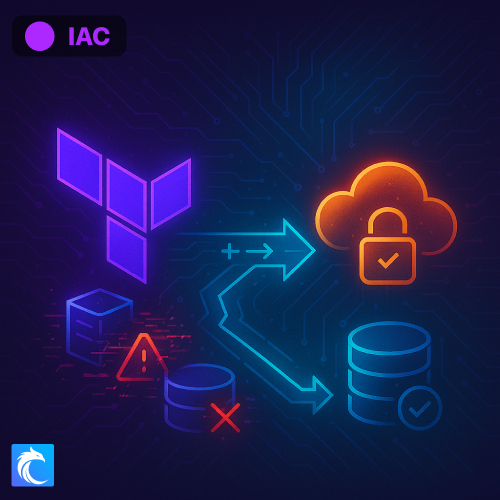 Premium
See how Terraform tracks resources and responds when infrastructure changes.
Open lab Premium
Bring existing AWS resources under Terraform management without rebuilding them.
Open labTerraform practice topics
The Terraform lab collection covers the work that cloud teams handle: initial deployments, reusable code, state, existing resources, and secure AWS access.
Write your first configurations and learn how Terraform creates connected cloud resources.
Connect VPC, EC2, IAM, and Systems Manager resources through Terraform.
Reuse configurations, store state, find drift, and adopt infrastructure that already exists.
Free cheat sheets
Quick references for Terraform commands, configuration, and the AWS network and access controls behind your infrastructure.
Terraform CLI commands, providers, variables, modules, and state concepts for building and managing AWS infrastructure.
Compare subnet-level and instance-level traffic filtering, including stateful and stateless behavior.
Understand IAM policy elements, role trust relationships, and permissions for infrastructure managed with Terraform.
Scoped bucket-policy examples for restricting access to S3 resources, including remote Terraform state.
How the labs work
Cybr prepares the AWS environment for each lab. You can focus on Terraform code instead of account setup, billing, and cleanup.
Start free or choose a premium lab that matches your next skill.
Get the AWS resources and access that the lab requires.
Follow the tasks, run Terraform, and inspect the infrastructure that you create.
Practice without changing personal or company infrastructure. Cybr provides the lab environment and covers the AWS resource costs.
Before you start
Yes. Create a free Cybr account to build a static Amazon S3 website with Terraform. You do not need a credit card. Start a free Terraform lab
No. Cybr supplies the AWS environment and lab access. Your personal and company AWS accounts stay separate.
No. Beginners can start with the free guided lab. Later labs cover modules, remote state, drift, imports, networking, and secure access.
Each lab explains its requirements. You receive the cloud access and instructions that you need for the lab tasks.
No. Cybr provides the AWS environment, covers its cloud costs, and removes the lab resources after your session.
Build a working Amazon S3 website with Terraform in a guided AWS environment.
No credit card required