Real AWS environments

AWS Hands-On Labs for Cloud Security

Practice AWS security, infrastructure, and deployments with real resources. We handle the accounts, cloud costs, and cleanup.

No credit card required

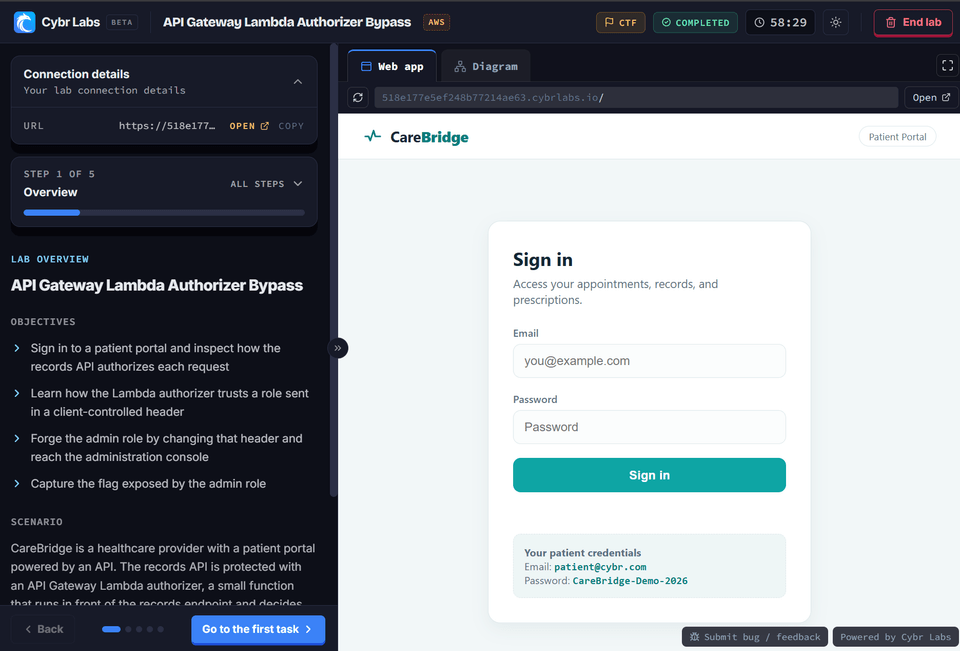
The Cybr lab player, with lab instructions and a running AWS environment
Johnny EndrihsChristopherRafael MartinezLixin ZhangKaran Thakkar

70,000+ people learn with Cybr

  • Real AWS resources
  • One-click launch
  • No cloud bill
CiscoVerizonToyotaCheck PointMoody’sAT&TVirginia Tech

Attack and defend AWS

Learn both sides of cloud security

Understand how attacks work, then build controls that prevent, detect, and contain them.

Red team Offensive practice

Attack AWS environments

Think like an attacker in an environment built for safe practice.

  • Enumerate identities, policies, data, and services
  • Find exposed resources and excessive permissions
  • Follow attack paths without risking an employer account
Explore the AWS Red Team path
Blue team Defensive practice

Defend AWS environments

Build controls that prevent attacks and help teams respond when activity changes.

  • Apply least privilege and secure cloud settings
  • Use AWS records to detect and investigate activity
  • Practice response, recovery, and security automation
Explore the AWS Blue Team path

Free cheat sheets

AWS security cheat sheets

Keep these free references nearby when you configure permissions, protect data, or test cloud defenses.

How the labs work

Practice in AWS without the setup work

We prepare an isolated AWS environment just for you, so you can focus on learning instead of account setup and cleanup.

  1. Step 01

    Choose a lab

    Pick a guided lesson or a challenge that matches your goal.

  2. Step 02

    Launch real resources

    We create the AWS resources and give you the access for the lab.

  3. Step 03

    Complete the task

    Solve the scenario and pick up new skills.

Completely isolated environments

Learn without exposing personal or company resources. We cover all cloud costs for the lab.

AWS learning paths

Prefer guided structure? Check out our learning paths

Follow a structured path when you want related lessons, labs, and practice in one place.

Before you start

FAQ

Can I try an AWS lab for free?

Yes. A free account gives you access to selected labs and other free content. You do not need a credit card. Create a free account

Do I need my own AWS account?

No. Cybr supplies the AWS environment and the access that each lab needs. Your personal and employer accounts stay separate.

Will AWS charge me for lab resources?

No. Cybr provides the cloud environment, covers its AWS costs, and removes resources after the lab.

How much AWS experience do I need?

You can start with an introductory guided lab. Experienced learners can choose challenges and advanced learning paths.

From Cybr learners

What learners get out of the AWS labs

See how community members were able to apply what they learned on the job.

These hands-on labs on the Cybr platform provided practical, real-world scenarios that have significantly improved my ability to implement and manage secure IAM policies in AWS.
Ihor Sasovets Security Engineer | Penetration Tester
I must say that after doing these courses and labs, my knowledge has not only increased in the offensive side, but on also how can we secure our accounts by adding multiple layers of access controls like Permission Boundaries, Resource Based Policies, SCPs etc.
1llus1on Cybr Learner
Absolutely loving the content/labs, by far one of the best/easiest cloud resources I've worked with. I completed the IAM PrivEsc course which was a blast, going through it again for the 3rd to cement everything I've learned.
Ryan Feder Cybersecurity Consultant

Start an AWS security lab for free

Practice with real AWS resources. We handle the account, costs, and cleanup.

No credit card required