
Understand Kubernetes security
Learn how Kubernetes security applies across the cluster, its components, and the workloads it runs.
Practice Kubernetes on AWS
Learn Kubernetes by working with real cluster components and containerized workloads. Practice architecture, security, installation, and orchestration in guided AWS environments.
Guided premium labs in isolated training environments


70,000+ people learn with Cybr





Kubernetes lab collection
Start with Kubernetes security and architecture, then install a cluster on AWS and use it to orchestrate containers.
 Premium
Learn the Kubernetes security model and the controls that protect clusters and workloads.
Open lab Premium
Explore the control plane, worker nodes, and the components that keep a cluster running.
Open lab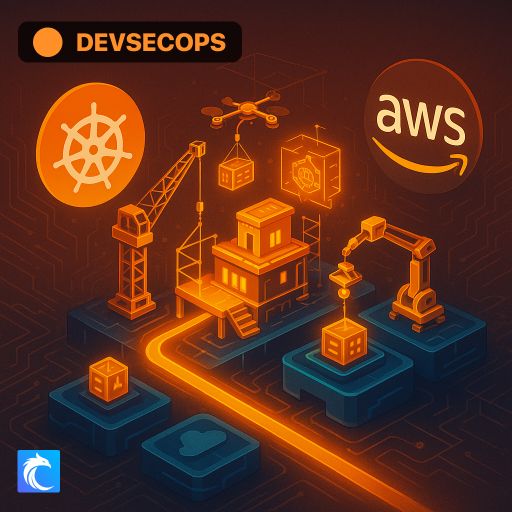 Premium
Install Kubernetes on AWS and see how the cluster components connect in practice.
Open lab Premium
Deploy and manage containerized workloads on a working Kubernetes cluster.
Open labKubernetes practice topics
These labs connect Kubernetes concepts to the practical work of understanding a cluster, securing it, deploying it on AWS, and running containerized applications.
Learn how Kubernetes security applies across the cluster, its components, and the workloads it runs.
See how the control plane and worker nodes divide responsibility inside a Kubernetes cluster.
Move from cluster installation to running and managing containers in a cloud environment.
Free cheat sheets
References for AWS network controls and security assessment tooling relevant to cloud-hosted Kubernetes clusters.
Compare the AWS network controls surrounding cluster nodes, including stateful security groups and stateless network ACLs.
Prowler installation, supported providers including Kubernetes, and security assessment use cases. Detailed command examples focus on AWS.
How the labs work
Cybr prepares the cloud training environment for each lab, so you can focus on the cluster and its workloads instead of account setup and cleanup.
Pick the Kubernetes skill you want to practice next.
Open the isolated AWS resources prepared for the lab.
Follow guided tasks and inspect the cluster as you make changes.
Practice separately from personal and company infrastructure. Cybr provides the lab environment and handles cloud resource cleanup.
Before you start
Cybr offers guided labs on Kubernetes security concepts, control plane and worker nodes, installing Kubernetes on AWS, and orchestrating containers on Kubernetes.
No. Cybr provides the isolated AWS training environment used by the lab, so your personal and company cloud accounts stay separate.
The current Kubernetes labs are intermediate. Basic familiarity with cloud computing, containers, and the command line will help before you begin.
You can practice cluster architecture, control plane and worker node concepts, Kubernetes security, installation on AWS, and container orchestration.
The current Kubernetes labs are included with premium Cybr access. Free labs are available elsewhere in the hands-on lab catalog. Browse all hands-on labs
Open a guided lab and work with Kubernetes in an isolated AWS training environment.
Premium access includes the cloud training environment