Secure Your Cloud with Prowler [Cheat Sheet & Lab]
When it comes to securing cloud environments, automation and tooling can be a huge help, especially for tasks that should run on a regular basis.…

When it comes to securing cloud environments, automation and tooling can be a huge help, especially for tasks that should run on a regular basis. But how do you know which tool to use? How do you know which one is right for your use case?
To help answer these questions, we create cheat sheets, hands-on labs, and other training materials where you can learn about various cloud security tools, including their use cases, and how to use them.
In this article, we’ll showcase a popular open-source cloud security option called Prowler which is a multi-cloud open-source CSPM (Cloud Security Posture Management) tool.
Let’s dive into what it does, how it works, and how to get started with it.
Imagine this common scenario…
Your manager comes to you and says: “I need you to perform a security assessment across all of our cloud accounts, I need you to inventory our assets in those accounts, and I need you to run CIS compliance checks to generate a prioritized list of non-compliant resources…all by end of week next week.”
Your response: “Sure thing, no problem!”
Then, you download this cheat sheet, you download Prowler, and you get to work. Couple of days later, you’re done with your task, and you take the rest of the week off before submitting the report on Friday.
…I’m kidding, of course (sort of).
All jokes aside, I partnered with Toni de la Fuente (Prowler’s creator) to create this cheat sheet that will help you get started using Prowler. Feel free to download it, share with colleagues, and share on social media.
Secure Your Cloud with Prowler
Multi-Cloud Open-Source CSPM



What is Prowler?
Prowler is an Open Source Security tool for AWS, Azure, GCP and Kubernetes to do security assessments, audits, incident response, compliance, continuous monitoring, hardening and forensics readiness. Includes CIS, NIST 800, NIST CSF, CISA, FedRAMP, PCI-DSS, GDPR, HIPAA, FFIEC, SOC2, GXP, Well-Architected Security, ENS and more

- Security best practices assessments
- Audits
- Incident Response
- Continuous Monitoring
- Hardening & Forensics
- Remediation
Getting Started
Installation methods:
- Generic
- Docker
- Ubuntu
- GitHub
- Amazon Linux 2
- Brew
- AWS or Azure CloudShell
Examples:
› pip install prowler › brew install prowler› prowler -h
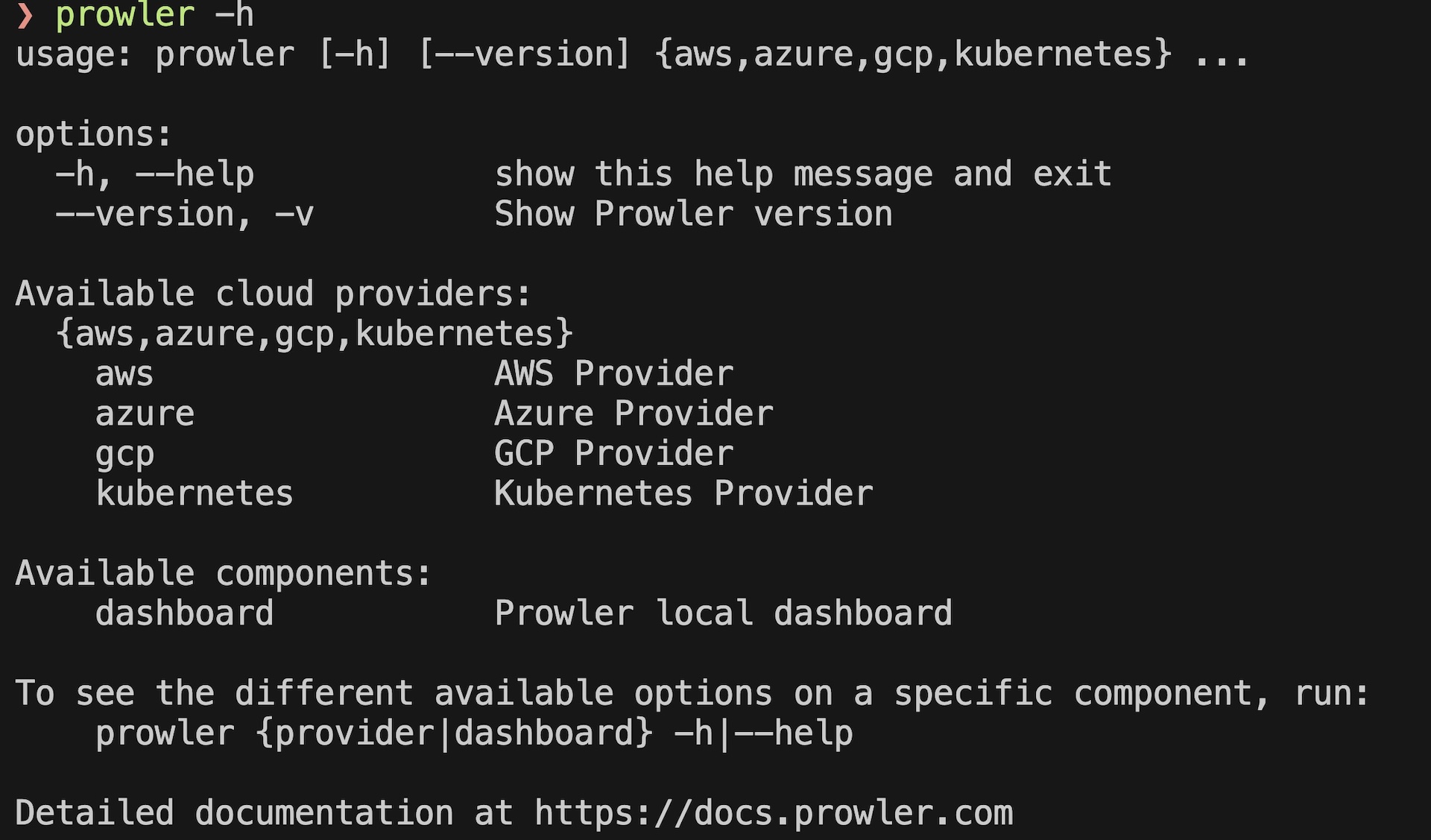
usage: prowler [-h] [--version] {aws,azure,gcp,kubernetes} ...
options:
  -h, --help     show this help message and exit
  --version, -v  show Prowler version
Available cloud providers:
  {aws,azure,gcp,kubernetes}
  aws            AWS Provider
  azure          Azure Provider
  gcp            GCP Provider
  kubernetes     Kubernetes Provider
Available components:
  dashboard      Prowler local dashboard
To see the different available options on a specific component, run:
  prowler {provider|dashboard} -h|--help
Detailed documentation at https://docs.prowler.com
Set credentials:
Prowler uses your local CLI credentials if they are set:
› aws configure › export AWS_ACCESS_KEY_ID="AS..."
› export AWS_SECRET_ACCESS_KEY="..."
› export AWS_SESSION_TOKEN="..."Basic Usage
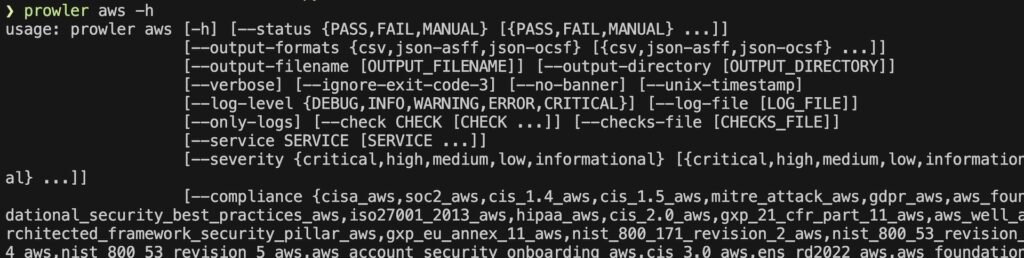
› prowler aws -h
options:
  --check CHECK [CHECK ...], --checks CHECK [CHECK ...], -c CHECK [CHECK ...]
  List of checks to be executed.
  --checks-file [CHECKS_FILE], -C [CHECKS_FILE]
  JSON file containing the checks to be executed. See config/checklist_example.json
  --service SERVICE [SERVICE ...], --services SERVICE [SERVICE ...], -s SERVICE [SERVICE ...]
  List of services to be executed.
  --compliance {cisa_aws,soc2_aws,cis_1.4_aws,...}
  --list-checks, -l  List checks
  ...
› prowler aws --list-checks
[awslambda_function_no_secrets_in_code] Find secrets in Lambda functions code. - lambda [critical]
[ec2_ebs_volume_snapshots_exists] Check if EBS snapshots exists. - ec2 [medium]
[kms_key_not_publicly_accessible] Check exposed KMS keys - kms [medium]
[iam_role_administratoraccess_policy] Ensure IAM Roles do not have AdministratorAccess policy attached - iam [high]
...
› prowler aws --list-categories
- - encryption
- - forensics-ready
- - internet-exposed
- - logging
- - secrets
- - threat-detection
- - trustboundaries
There are 7 available categories.
› prowler aws --categories encryption
Overview Results:
Account 992 Scan Results (severity columns are for fails only):
| Provider | Service | Status | Critical | High | Medium | Low | Muted |
|---|---|---|---|---|---|---|---|
| aws | cloudwatch | FAIL (1) | 0 | 0 | 1 | 0 | 0 |
| aws | ec2 | FAIL (5) | 0 | 0 | 5 | 0 | 0 |
› prowler aws --services s3 ec2
Executing 54 checks, please wait...
-> Scan completed! ▮▮▮▮▮▮▮▮▮▮▮▮▮▮▮▮▮▮▮▮▮▮▮▮▮▮▮▮▮▮▮ 54/54 [100%] in 47.2s
Overview Results:
Account 992 Scan Results (severity columns are for fails only):
| Provider | Service | Status | Critical | High | Medium | Low | Muted |
|---|---|---|---|---|---|---|---|
| aws | ec2 | FAIL (36) | 0 | 18 | 15 | 3 | 0 |
Advanced Usage
Exclude certain checks from your scans:
› prowler aws --exclude-checks s3_bucket_public_access Scan based on resource tags:
› prowler aws --resource-tags Env=prod Project=cybrCustomizing the config file:
prowler/config/config.yaml Customize configurable checks, ie: # of days before an access key is considered unused; or max number of security group rules allowed, etc...
Integrations
- - Amazon S3
- - Security Hub
- - Slack
- - Shodan
- ...
Security Hub Example:


HIGH
MEDIUM
LOW
INFO
HIGH
MEDIUM
LOW
INFO
Use this cheat sheet with AI
Copy a ready-to-use prompt into your preferred AI assistant.
Preview prompt
About Prowler
So what does Prowler do, though? Well, it’s a tool you can use to:
- Run cloud security assessments & audits (across AWS, Azure, Google Cloud, and Kubernetes)
- Run compliance checks across many frameworks (CIS, NIST, AWS Well Architected, etc…)
- Continuously monitor your accounts & resources
- Help with incident response
- Harden resources, perform remediation, and run forensics
Getting started with Prowler
Getting started is super easy, since you can download it locally or in CloudShell.
Later on, you can build out pipelines and integrate with S3, Security Hub, Slack, Shodan, and more.
Once installed, you can run:
❯ prowler -hTo make sure that it installed successfully.
Then, if you haven’t already, you’ll need to configure your AWS CLI with credentials for the account(s) you want to run Prowler against:
aws configureBasic Usage
Once installed and once you have AWS CLI credentials set up, you can start to run basic commands like:
❯ prowler aws -hTo see what options you have access to and can issue, for a particular provider.
List out all supported services in a provider
To view a list of all supported services for a particular provider, you can run:
❯ prowler aws --list-services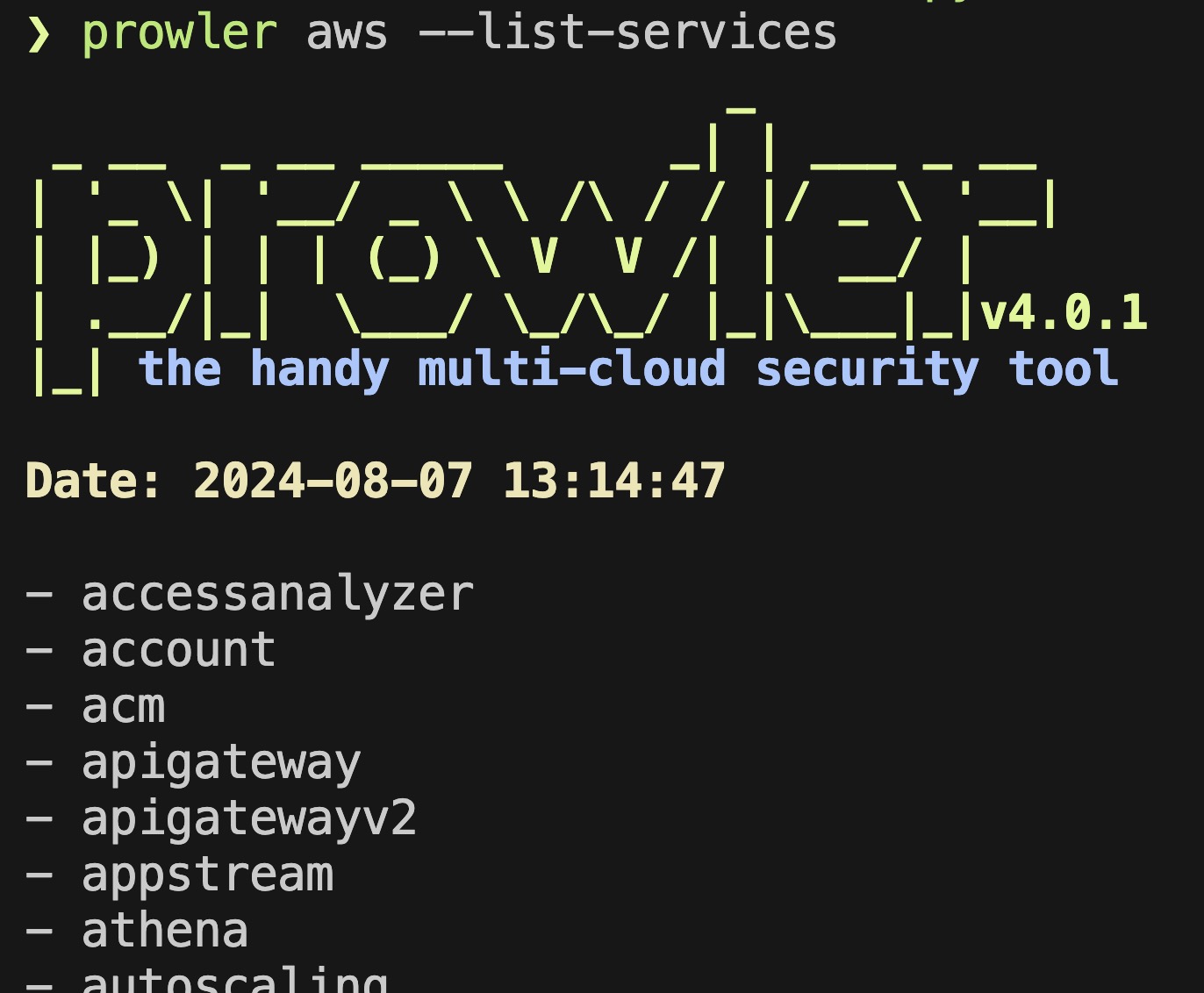
List checks by cloud provider and by service
You can also list out what checks are available per provider and per service, like this:
❯ prowler aws --list-checks -s s3You’ll see a result like this:
[s3_account_level_public_access_blocks] Check S3 Account Level Public Access Block. - s3 [high]
[s3_bucket_acl_prohibited] Check if S3 buckets have ACLs enabled - s3 [medium]
[s3_bucket_default_encryption] Check if S3 buckets have default encryption (SSE) enabled or use a bucket po
licy to enforce it. - s3 [medium]
[s3_bucket_kms_encryption] Check if S3 buckets have KMS encryption enabled. - s3 [medium]
[...SNIP...]

There are 14 available checks.
List available categories by provider
As a next step, I’d recommend running:
❯ prowler aws --list-checksTo view a list of all available checks for AWS specifically, and not just one single service. Of course, if you run on Azure, you’d want to list those checks instead.
Scan specific services only
Once you’ve picked a provider, you can scan for misconfigurations across your entire AWS environment, or you can scan for specific services, like this:
❯ prowler aws --services s3 ec2Or you can scan for just a single service like this:
❯ prowler aws -s s3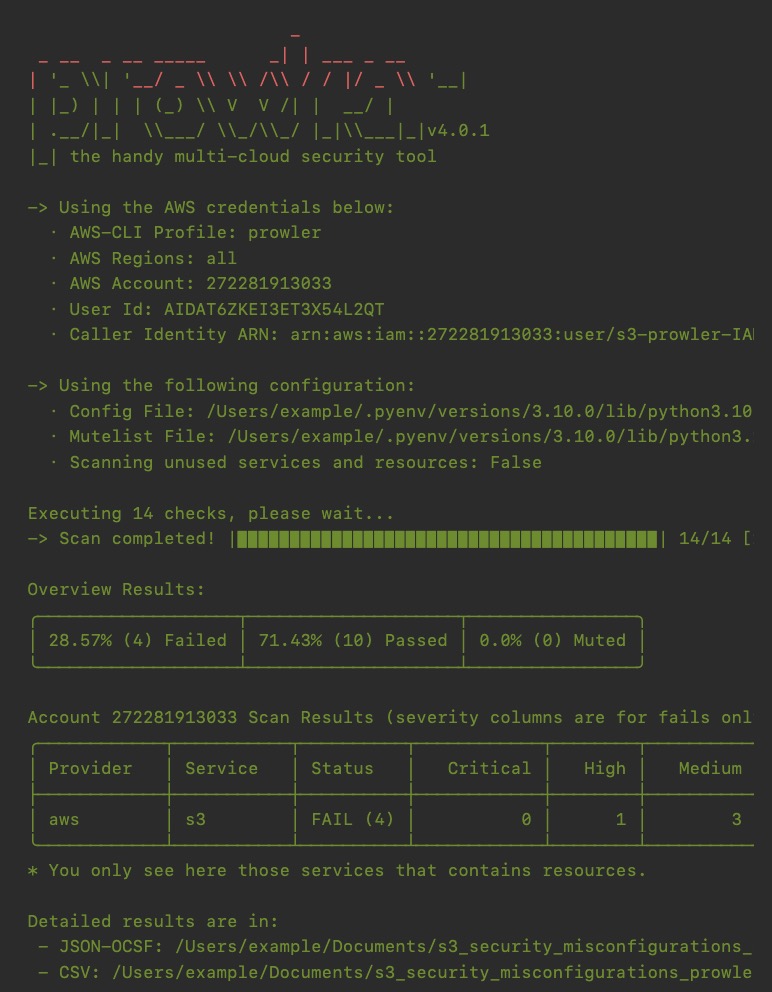
Viewing results
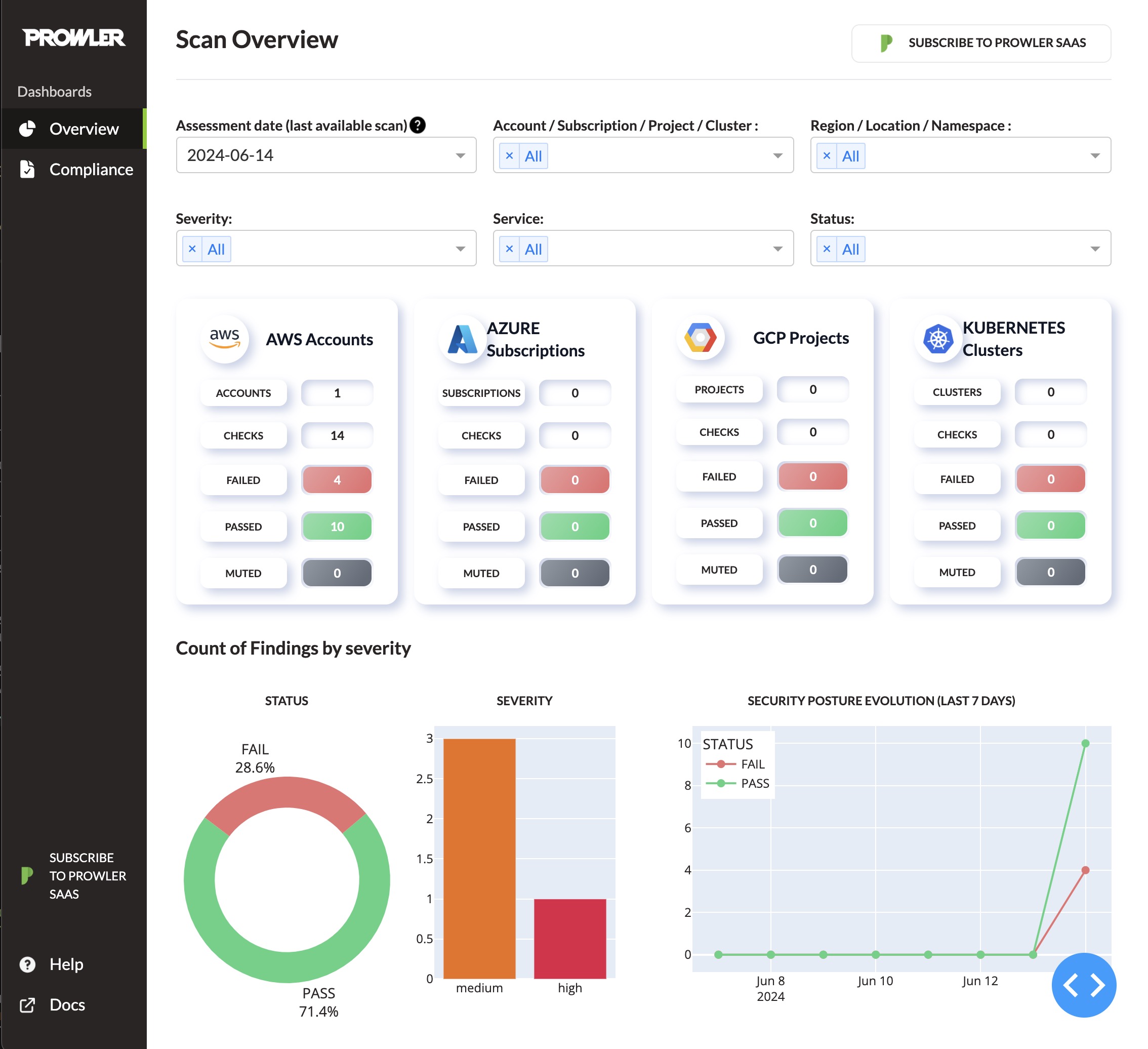
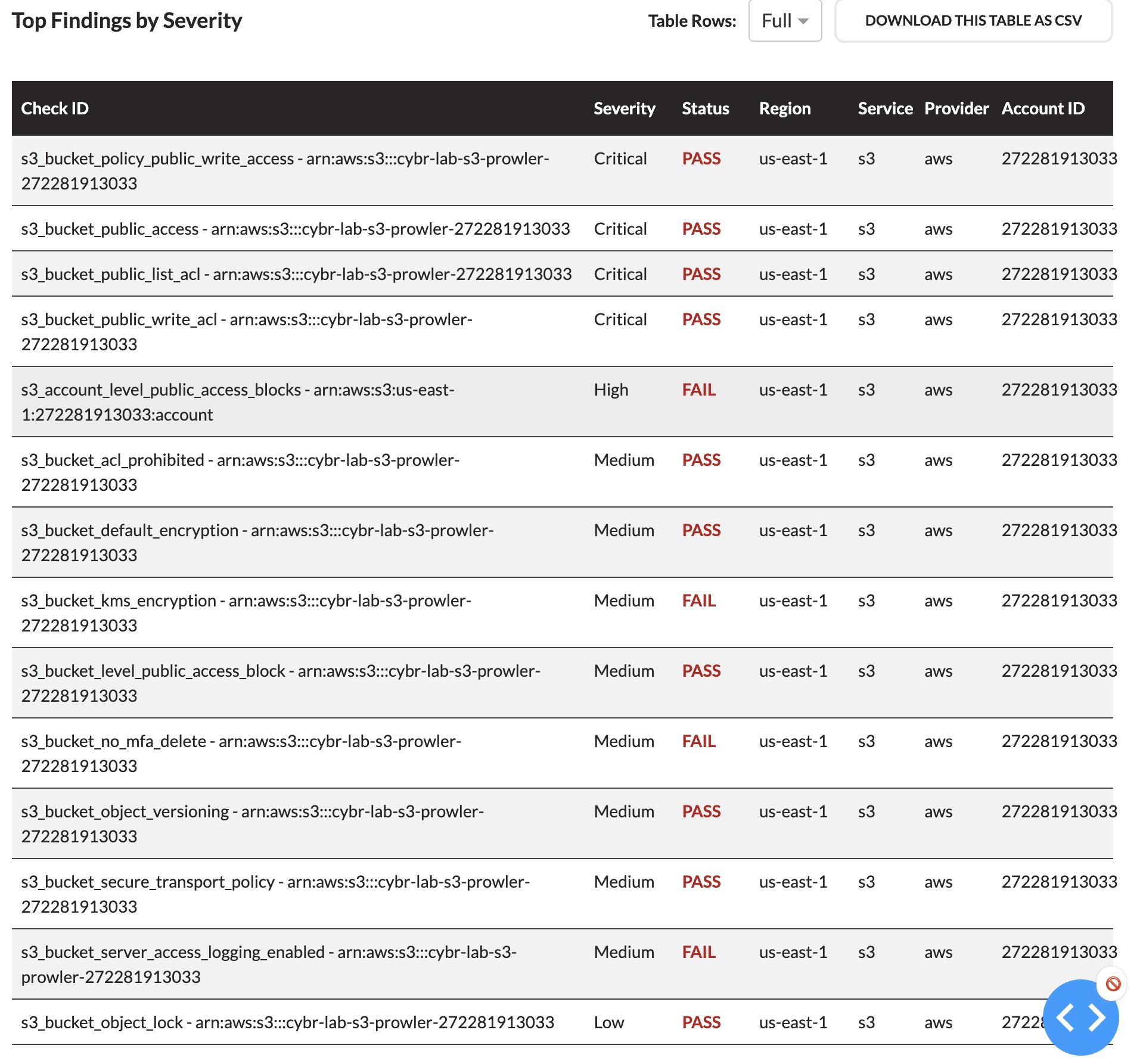
To view the results, you can either open them in your local browser, list them out in your terminal, or open the CSV or JSON files manually. Prowler comes out of the box with a dashboard that runs on localhost, which you can access via your browser to view tables, graphs, etc…
Learn more with free training workshops
If you’d like to learn more about Prowler and see it being used in action, we hosted multiple live training workshops, including one with Toni:
Launch our free 🧪 Hands-On Lab: Find S3 Security Misconfigurations with Prowler
We also have a Hands-On Lab you can deploy to practice using Prowler in one of our AWS environments instead of your own. Our labs provide a safe environment to try out tools and developer deep AWS security expertise.