
IAM PutRolePolicy PrivEsc
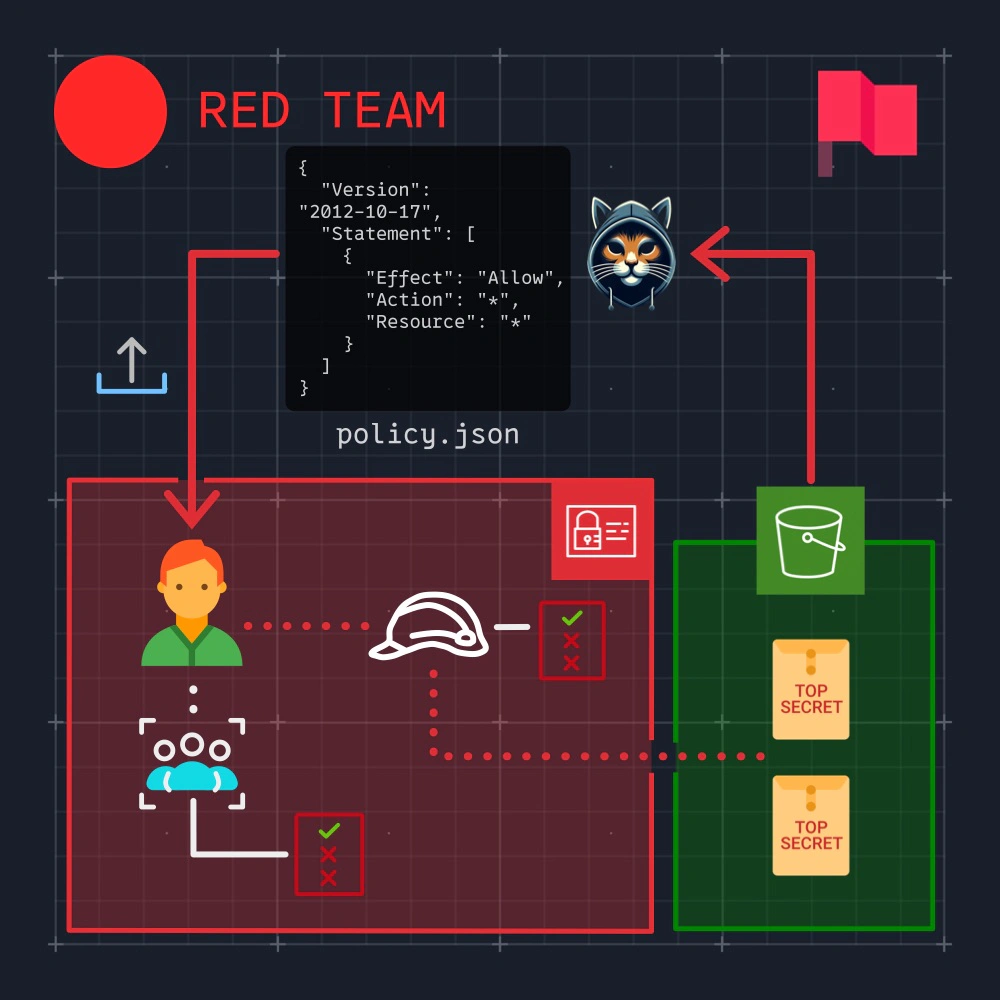
You can assume a role that grants you access to an Amazon S3 bucket. However, you've discovered an IAM misconfiguration that will enable you to escalate your privileges. Use iam:PutRolePolicy to grant this role increased privileges through custom IAM policies. Then, assume the role to obtain access to sensitive data in Secrets Manager that your IAM user would otherwise be restricted from accessing. You have successfully finished the lab once you've submitted the stored secret in plaintext after decoding it.
- 11 guided tasks
- Capture the flag
- Terminal in the browser
Scenario
AWS IAM roles are incredibly useful and powerful, and you can assume them to receive permissions either within your account, or even for cross-account access. Your lab user has access to perform support functions by assuming roles with AssumeRole, including a role that has access to a non-sensitive S3 bucket containing generic files for an application that you support. However, this lab has been misconfigured to grant you iam:PutRolePolicy. Leverage this misconfiguration to give that role additional permissions to access secrets in Secrets Manager. You've captured the flag when you've successfully decoded the secret string stored in Secrets Manager and you're able to read it in plaintext.
What you will learn
- Connect the AWS CLI to the lab credentials.
- Enumerate an IAM user's group, its policy, and the permissions it grants.
- Assume the SupportRole and confirm its limited access.
- Use iam:PutRolePolicy to add an inline policy that grants the role Secrets Manager access.
- Read and decode the secret to capture the flag.