
Section 2 · 1.1: Compare and contrast social engineering techniques Free preview
Phishing

Phishing is one of the most commonly talked about attacks because it happens to all of us on an almost daily basis, and despite its simplicity, it’s resulted in some of the costliest attacks.
With phishing, the attacker masquerades as a trusted entity in order to try and gain access to sensitive information, such as:
- Passwords
- Date of birth
- Credit card numbers
- Social security numbers
- Etc…
Phishing is also a popular technique used to spread malware. In fact, a lot of costly ransomware attacks found their entry point through phishing.
This type of social engineering attack is typically sent in bulk and isn’t targeting one specific group or person. The more people a phishing email reaches, the higher the chance that one person falls victim to the attack.
Examples of Phishing
If you pull up your email inbox right now, I’d be willing to bet that you have at least 1 phishing attempt from the past 7 days. It will likely be in your junk mail, but not always.
Here are some examples of mine:
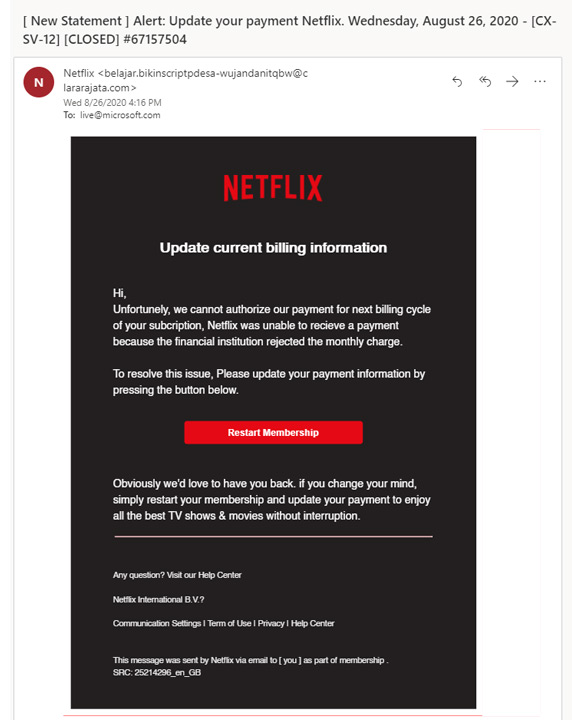
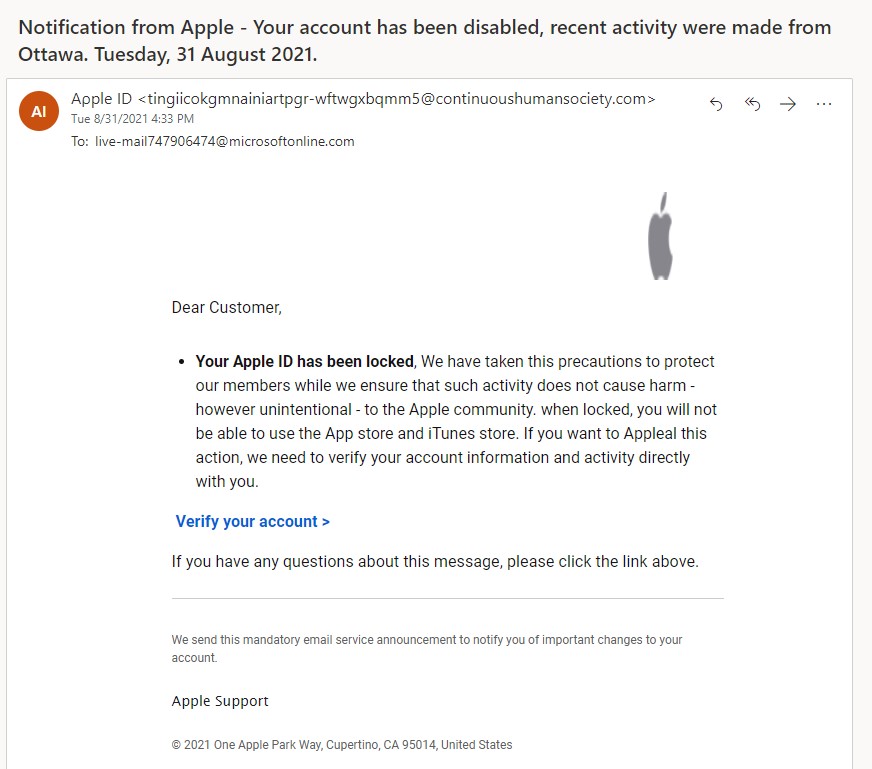
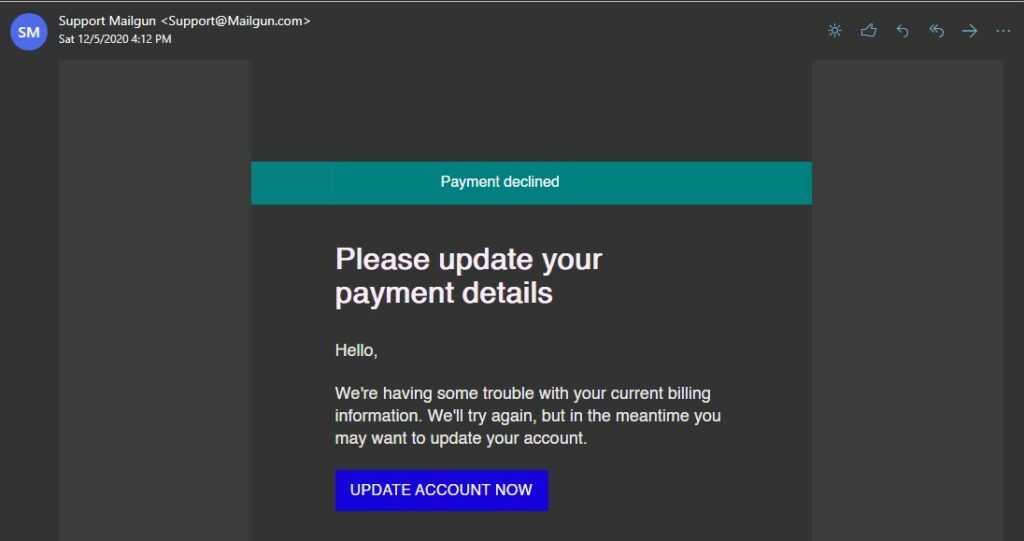
The last one is better than most other phishing attacks I’ve received, because there are no obvious typos, the grammar is fine, and it seems to be coming from a legitimate email address.
While many attempts are poorly done and can usually be easily detected, even to someone without any training, since they have obvious spelling or design errors, they’ve been getting better and better over the years, and some of the attempts I’ve received have been quite convincing.
With that said, there are a number of tell-tale signs that make it easier to spot phishing attempts, and more importantly, to avoid them. Let’s talk about that:
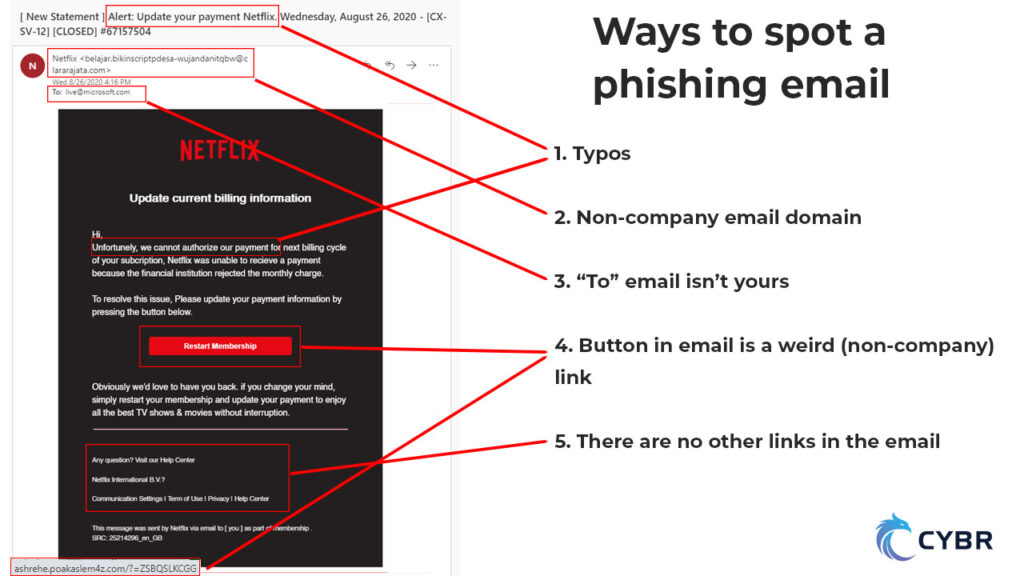
- Obvious typos — many (although not all) phishing attempts will have typos or poor gramar
- Missing or messed up logos
- Non-company email domains — although sometimes it may look like a legitimate email, such as in the Mailgun example
- “To” email isn’t yours
- Odd formatting in the overall email, text, links, or buttons — although sometimes email clients can break legitimate emails
- URLs of buttons or other links are non-company domain names — although sometimes it can be their email service that uses special links to track clicks
- Lack of URLs in places you expect to see them, such as unsubscribe links in the footer — unsubscribe links are a requirement, so the lack of one is very suspicious
- Emails that just don’t seem right — like in the case of the Mailgun email, there’s no reason I could think of that my payment would have been declined, so that’s a bit fishy :)
In the case of the Mailgun phishing attempt, I was able to validate that it was a phishing attempt by logging into my account manually (instead of clicking whatever links were in the email), and seeing that all of my bills had been paid.
Curious, I did a little bit more digging and looked at the email message headers:
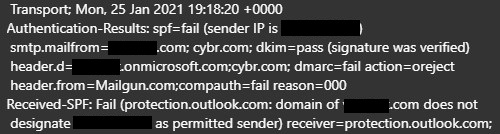
What I found was something you will typically see…the email is actually not coming from Mailgun or any Mailgun-authorized services. It is instead coming from an unrelated domain, but whoever sent this attempt spoofed — meaning faked — the from header to make it look like it was coming from Mailgun.com.
The original domain name has been blacked out for privacy reasons, but it was from a golfing club in Europe, which tells me that their email services were probably not very secure, and so someone managed to gain control and use their domain name as a way of sending out these phishing attempts.
This is not only bad for Mailgun since it’s targeting their customers, but it’s also bad for the golf club, because it’s going to ruin their domain and email reputation.
Phishing can also be used to spread malware
As I mentioned previously, Phishing can also be used to spread malware via attachments or links to downloads. This means that the attacker could try to link you to a website that contains a malware download or that tries to automatically download the malware through a browser vulnerability.
Or, they could simply upload attachments to the emails, and you might be tempted to download those attachments and then open them.
Defenses against phishing
- Be cautious of which emails you trust and what links you click — instead, type in the domain name manually or use bookmarks
- Only use credentials on websites you trust
- Use unique passwords for each website — this is easily done with password managers
- Enable two-factor authentication — that way, even if your password is compromised, they still can’t get into your account…this is especially important for accounts that contain sensitive information
Responding to reported suspicious messages
Even with strong security awareness training, some phishing emails will inevitably make their way to employees’ inboxes. Organizations need to have a clear and effective process for responding to reported suspicious messages. Here’s how that process should work:
- Encourage Reporting: Employees should be trained to report suspicious emails using a designated method, such as a “Report Phishing” button in their email client or a dedicated security inbox.
- Analyze the Message: Security teams should investigate reported emails to determine whether they are legitimate, a phishing attempt, or another form of email-based attack.
- Isolate the Threat: If an email is confirmed as phishing, IT should block the sender, remove similar emails from inboxes, and prevent users from interacting with any included malicious links.
- Educate Employees: If a user reports a legitimate phishing email, they should be acknowledged and thanked for their diligence. If a user falls for the attempt, provide additional training without punitive measures.
- Report Externally if Necessary: If the phishing attempt is widespread or particularly dangerous, organizations may need to report it to external agencies like the Anti-Phishing Working Group (APWG) or their local cybercrime authority.
- Improve Security Measures: After responding to phishing incidents, organizations should analyze trends and refine email filtering, security policies, and employee training to reduce future risks.
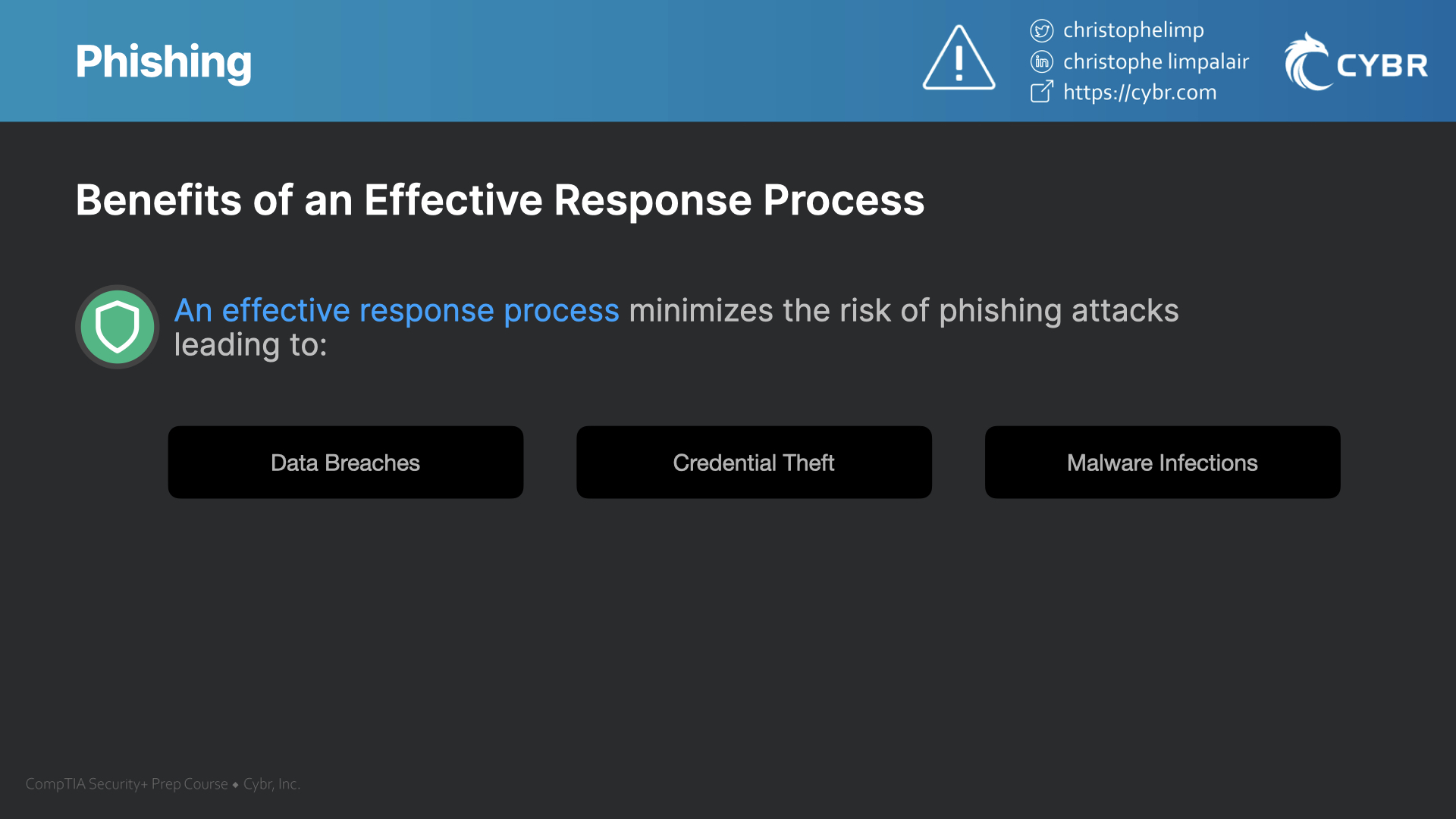
By following these steps, organizations can minimize the risk of phishing attacks leading to data breaches, credential theft, or malware infections.
Conclusion
It’s important that you train your entire organization on how to spot these attempts. There are many organizations that can help with this by providing 3rd party training which could involve actually sending out phishing attempts to employees and seeing who falls for it, and then giving them more direct training to prevent it from happening again.
This should not be done as a way to embarrass or reprimand the employees that fall for it, but instead, as a way of training them to not fall for it the next time.
Phishing is how many organizations become victims of nasty attacks such as Ransomware. All it takes is one employee click on a link and filling in information that they shouldn’t have.
So while this is a simple form of attack that may sometimes seem negligible, it can lead to very serious and costly consequences.
Case Study
As a real-world example of phishing attacks, I recommend reading this article: “IKEA email systems hit by ongoing cyberattack.“
Comments
Loading comments…