
Using our Web Terminal in AWS Labs
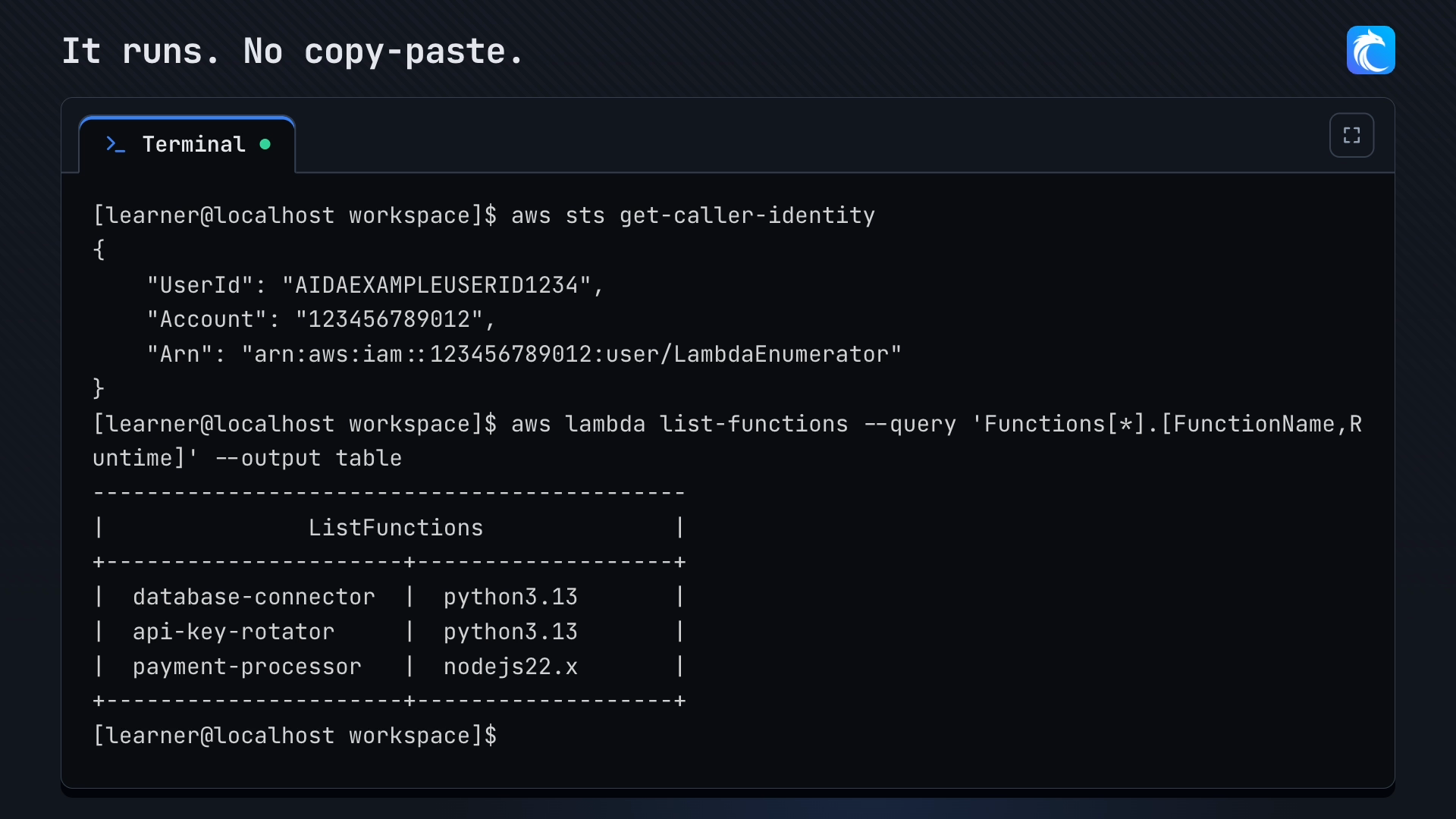
AWS Hands-On Labs come with a terminal right in your browser. It's already signed in to your lab environment, it has the AWS CLI and other tools installed, and it's natively integrated with lab guides. Here's how it works.

We've recently launched web terminals for our AWS Hands-On Labs, which give you a terminal built right into our labs.
Since it runs in your browser, there's nothing for you to install to complete the lab. This is not only super convenient if you're trying to avoid cluttering your machine, but it also avoids the annoying version mismatches and other errors you can run into while learning, which can end up wasting hours of troubleshooting. And sometimes, such as on corporate machines, you can't install anything without IT approval anyway.
That means you can skip the usual setup before a lab: installing the AWS CLI, copying the lab's access keys, running aws configure, and making sure you're in the right region. Here's what the terminal does and how to get the most out of it.
Already signed in
Any lab that uses the AWS CLI launches automatically with our web terminal. Labs you complete entirely in the AWS Management Console or a web app don't need a terminal, so those labs won't have one. By the time you see a blinking cursor prompt, you're good to go!

- Signed in: the lab's credentials and region are set for you.
- Isolated: it's your own environment, shared with no one.
- Temporary: it shuts down when the lab ends, so there's nothing to clean up.
Run a step from the guide in one click
Commands in the lab guide have a Run in terminal button. Click it, and the command is sent to your terminal and runs right away, so you don't have to copy and paste long --query strings and hope you didn't miss a quote.
You can always type commands yourself, and we'd encourage you to whenever you want the practice. The button is there for when you'd rather spend your time on what the output means instead of fixing typos.

What tools are included in the terminal?
Each terminal includes the tools you need to complete the lab from start to finish. Sometimes it will come pre-installed with third-party tools (like CloudFox, Prowler, etc.), while other times the lab guide will have you install those tools yourself. Either way, the web terminal supports that. Other pre-installed tools include: AWS CLI v2, Python 3, git, jq, curl, and vim.
What about Azure labs?
A web terminal for our Azure labs is coming soon.
Using your own terminal instead
Prefer your own setup? That works too! The lab's connection details are still there if you want to use your own terminal instead. We're just giving you more options to help you learn.
Try it
A good place to start is Introduction to AWS Lambda Enumeration, the lab you see in the clips above.
Have feedback on the terminal, or something you'd like it to do? Tell us in Discord or through our contact page.
Comments
Loading comments…