

CompTIA Security+ SY0-701 Course
-
1.0: About the course and exam
About the course and certification -
About the course author
-
Pre-requisites
-
Tools and tips to help you study more efficiently
-
Study techniques that will help you pass
-
1.1: Compare and contrast social engineering techniquesWhat is social engineering?
-
Principles
-
Spam
-
Blocking and Managing Spam
-
Phishing
-
Smishing
-
Vishing
-
Spear Phishing
-
Whaling
-
Impersonation
-
Dumpster diving
-
Shoulder surfing
-
Pharming
-
Tailgating
-
Eliciting information
-
Prepending
-
Identity fraud
-
Invoice scams
-
Credentials harvesting
-
Reconnaissance
-
Hoax
-
Watering hole attack
-
Typo squatting and URL hijacking
-
Influence campaigns
-
Hybrid warfare
-
Practical knowledge check: 1.1
-
1.2: Analyze potential indicators to determine the type of attackWhat is malware?
-
Malware classification
-
Virus
-
Worms
-
Backdoor
-
Trojans
-
Remote Access Trojan (RAT)
-
Ransomware and Crypto Malware
-
How does ransomware work?
-
Potentially unwanted programs (PUPs)
-
Spyware
-
Adware and Malvertising
-
Bloatware
-
Keyloggers
-
Fileless malware
-
Logic bombs
-
Rootkit
-
Bots and Botnets
-
Command and control
-
What are password attacks?
-
Plaintext, encrypted, and hashed passwords
-
Brute force
-
Dictionary attacks
-
Spraying attacks
-
Rainbow and hash tables
-
Credential stuffing
-
What are physical attacks?
-
Malicious universal serial bus (USB) cable
-
Malicious flash drive
-
Card cloning
-
Skimming
-
What is adversarial AI and tainted training for ML?
-
Supply-chain attacks
-
Cloud-based vs. on-premises attacks
-
Cryptography concepts
-
Cryptographic attacks
-
Quiz: 1.23 Quizzes
-
1.3: Analyze potential indicators associated with application attacksPrivilege escalation
-
Improper input handling
-
Improper error handling
-
Cross-Site Scripting (XSS)
-
Structured Query Language (SQL) injections
-
Dynamic Link Library (DLL) Injections
-
Lightweight directory access protocol (LDAP) Injections
-
Extensible Markup Language (XML) and XPATH Injections
-
XXE Injections
-
Directory traversal
-
Request forgeries (server-side, client-side, and cross-site)
-
Application Programming Interface (API) attacks
-
Secure Sockets Layer (SSL) stripping
-
Replay attacks (session replays)
-
Pass the hash
-
Race conditions (time of check and time of use)
-
Resource exhaustion
-
Memory leak
-
Pointer/object dereference
-
Integer overflow
-
Buffer overflows
-
Driver manipulation (shimming and refactoring)
-
Quiz 1.32 Quizzes
-
1.4: Analyze potential indicators of network attacksWhat are wireless attacks?
-
Distributed Denial of Service (DDoS)
-
Rogue access point and Evil Twin
-
Bluesnarfing and Bluejacking
-
Disassociation and Jamming
-
Radio Frequency Identifier (RFID) attacks
-
Near Field Communication (NFC)
-
Initialization Vector (IV)
-
Man in the middle (on-path)
-
Man in the browser (on-path browser)
-
Network Attacks (credential replay)
-
What are layer 2 attacks?
-
Address resolution protocol (ARP)
-
Media access control (MAC) flooding
-
MAC cloning
-
What are Domain Name System (DNS) attacks and defenses?
-
Domain hijacking
-
DNS poisoning
-
Universal resource locator (URL) redirection
-
Domain reputation
-
Quiz 1.41 Quiz
-
1.5: Explain threat actors, vectors, and intelligence sourcesWhat are actors and threats?
-
Attributes of actors
-
Vectors
-
Insider threats
-
State actors
-
Hacktivists
-
Script kiddies
-
Hackers (white hat, black hat, gray hat)
-
Criminal syndicates
-
Advanced persistent threats (APTs)
-
Shadow IT
-
Competitors
-
Threat intelligence sources (OSINT and others)
-
Using threat intelligence
-
Research sources
-
Quiz 1.51 Quiz
-
1.6: Security concerns associated with various vulnerabilitiesCloud-based vs. on-premises vulnerabilities
-
Zero-day vulnerabilities
-
Weak configurations
-
Weak encryption, hashing, and digital signatures
-
Third-party risks
-
Improper or weak patch management
-
Legacy platforms
-
Impacts
-
Gap analysis
-
Validation of remediation
-
Quiz 1.61 Quiz
-
1.7: Summarizing techniques used in security assessmentsThreat hunting
-
Vulnerability scans
-
Identification methods
-
Security information and event management (SIEM) and Syslog
-
Security orchestration, automation, and response (SOAR)
-
Indicators of malicious activity
-
Reporting and monitoring
-
Quiz 1.71 Quiz
-
1.8: Explaining techniques used in penetration testingImportant pentesting concepts
-
Bug bounties
-
Exercise types (red, blue, white, and purple teams)
-
Passive and active reconnaissance
-
Quiz 1.81 Quiz
-
1.9: Explaining the importance of security concepts in an enterprise environmentConfidentiality, Integrity, and Availability (CIA)
-
Configuration management
-
Data sovereignty
-
Data protection
-
Data Format Types
-
Hardware security module (HSM) and Trusted Platform Module (TPM)
-
Geographical considerations
-
Cloud access security broker (CASB)
-
Response and recovery controls
-
Secure Sockets Layer (SSL) and Transport Layer Security (TLS) inspection
-
Hashing
-
API considerations
-
Site resiliency
-
Deception and disruption
-
Introduction to Zero Trust and the control plane
-
The data plane and Zero Trust
-
Quiz 1.91 Quiz
-
2.0: Virtualization and cloud computing conceptsComparing cloud models
-
Cloud service providers
-
Virtualization
-
Containers
-
Microservices and APIs
-
Serverless architecture
-
MSPs and MSSPs
-
On-premises vs. off-premises
-
Edge computing
-
Fog computing
-
Thin client
-
Infrastructure as Code
-
Services integration
-
Resource policies
-
Transit gateway
-
Quiz 2.01 Quiz
-
2.1: Secure application development, deployment, and automation conceptsUnderstanding development environments
-
Automation and scripting
-
Version control
-
Secure coding techniques
-
Open Web Application Security Project (OWASP)
-
Integrity measurement
-
Software diversity
-
Provisioning and deprovisioning
-
Elasticity
-
Scalability
-
Quiz 2.11 Quiz
-
2.2: Authentication and authorization design conceptsImportant authentication and authorization concepts
-
Multifactor authentication (MFA) factors and attributes
-
Quiz: MFA factors and attributes1 Quiz
-
Authentication technologies
-
Biometrics techniques and concepts
-
Authentication, authorization, and accounting (AAA)
-
Cloud vs. on-premises requirements
-
Quiz 2.21 Quiz
-
2.3: Implementing cybersecurity resilienceWhat is redundancy?
-
Disk redundancy (RAID levels)
-
Network redundancy
-
Power redundancy
-
Replication
-
Backup types (full, incremental, differential, and snapshot)
-
Backup types practice scenarios
-
Backup devices and strategies
-
Quiz: Backup types, devices, and strategies1 Quiz
-
Non-persistence
-
Restoration order
-
Diversity
-
Quiz 2.31 Quiz
-
2.4: Security implications of embedded and specialized systemsWhat are embedded systems?
-
System on a Chip (SoC)
-
SCADA and ICS
-
Internet of Things (IoT)
-
Specialized systems
-
VoIP, HVAC, Drones/AVs, MFP, RTOS, Surveillance systems
-
Communication considerations
-
Important constraints
-
2.5: Importance of physical security controlsBollards/barricades, Mantraps, Badges, Alarms, Signage
-
Lighting and fencing
-
Cameras and Closed-circuit television (CCTV)
-
Industrial camouflage
-
Personnel, robots, drones/UAVs
-
Locks
-
Different sensors
-
Fire suppression
-
Protected cable distribution (PCD)
-
Secure areas (air gap, faraday cages, DMZ, etc…)
-
Hot and cold aisles
-
Secure data destruction
-
USB data blocker
-
Quiz 2.51 Quiz
-
2.6: Basics of cryptographyCommon use cases
-
Key length
-
Key stretching
-
Salting, hashing, digital signatures
-
Perfect forward secrecy
-
Elliptic curve cryptography
-
Ephemeral
-
Symmetric vs. asymmetric encryption
-
Key exchange
-
Cipher suites
-
Modes of operation
-
Lightweight cryptography and Homomorphic encryption
-
Steganography
-
Blockchain
-
Quantum and post-quantum
-
Limitations
-
Encryption for different data types
-
Quizzes 2.62 Quizzes
-
2.7: Implement Secure ProtocolsImportant protocols to know and use cases
-
Important email secure protocols
-
IPsec and VPN
-
FTPS, SFTP, SCP
-
DNSSEC
-
SRTP and NTPsec
-
DHCP
-
SNMP and SNMPv3
-
Quiz 2.71 Quiz
-
2.8: Implement host or application security solutionsEndpoint protection
-
Self-encrypting drive (SED), full disk encryption (FDE), and file-level encryption
-
Boot integrity
-
Database and data security
-
Application security
-
Hardening hosts
-
Sandboxing
-
Quiz 2.81 Quiz
-
2.9: Implement secure network designsDNS
-
Load balancing
-
High availability (clustering)
-
Network segmentation
-
East-West and North-South
-
Jump servers (bastion hosts)
-
Network Address Translation (NAT) Gateway
-
Proxy servers
-
Out-of-band management
-
Secure communication and access
-
Quiz 2.9.11 Quiz
-
Virtual Private Networks (VPNs) and IPsec
-
Network Access Control (NAC)
-
Port security
-
Network-based intrusion detection system (NIDS) and network-based intrusion prevention system (NIPS)
-
Firewalls
-
Next-Generation Firewalls
-
Access Control List (ACL) and Security Groups (SGs)
-
Quiz 2.9.21 Quiz
-
Quality of Service (QoS)
-
Implications of IPv6
-
Port scanning and port mirroring
-
File integrity monitors
-
Quiz 2.9.31 Quiz
-
3.0: Install and configure wireless security settingsCryptographic protocols
-
Methods
-
Authentication protocols
-
Installation considerations
-
Quiz 3.01 Quiz
-
3.1: Implement secure mobile solutionsConnection methods and receivers
-
Mobile deployment models
-
Mobile device management (MDM)
-
Mobile devices
-
Enforcement and monitoring
-
Secure enclave
-
Quiz 3.11 Quiz
-
3.2: Apply cybersecurity solutions to the cloudCloud security controls
-
Secure cloud storage
-
Secure cloud networking
-
Secure cloud compute resources
-
Secure cloud solutions
-
Quiz 3.21 Quiz
-
3.3: Implement identity and account management controlsUnderstanding identity
-
Account types to consider
-
Account policies to consider
-
Quiz 3.31 Quiz
-
3.4: Implement authentication and authorization solutionsAuthentication management
-
Authentication protocols and considerations
-
Extensible Authentication Protocol (EAP)
-
RADIUS and TACACS+
-
Kerberos, LDAP, and NTLM
-
Federated Identities
-
Access control schemes
-
Recap notes from this section
-
Quiz 3.41 Quiz
-
3.5: Implement public key infrastructureWhat is public key infrastructure?
-
Types of certificates
-
Certificate formats
-
Important concepts
-
Quiz 3.51 Quiz
-
3.6: Use the appropriate tools to assess organizational securityNetwork reconnaissance and discovery part 1
-
Network reconnaissance and discovery part 2
-
File manipulation
-
Shell and script environments
-
Packet capture and replay
-
Forensics tools
-
Exploitation frameworks
-
Password crackers
-
Data sanitization
-
Quiz 3.61 Quiz
-
3.7: Policies, processes, and procedures for incident responseIncident response plans
-
Incident response process
-
Important exercises
-
Important attack frameworks
-
Business processes impacting security operations
-
Technical implications
-
Privileged access management tools
-
BCP, COOP, and DRP
-
Incident response team and stakeholder management
-
Retention policies
-
Quiz 3.71 Quiz
-
3.8: Using appropriate data sources to support investigations after an incidentVulnerability scan outputs
-
SIEM dashboards
-
Log files
-
Syslog, rsyslog, syslog-ng
-
Journald and journalctl
-
NXLog
-
Bandwidth and network monitors
-
Important and useful metadata
-
Activities
-
Quiz 3.81 Quiz
-
3.9: Applying mitigation techniques or controls to secure environments during an incidentReconfiguring endpoint security solutions
-
Configuration changes
-
Isolation, containment, and segmentation
-
Secure Orchestration, Automation, and Response (SOAR)
-
Quiz 3.91 Quiz
-
4.0: Key aspects of digital forensicsDocumentation and evidence
-
E-discovery, data recovery, and non-repudiation
-
Integrity and preservation of information
-
Acquisition
-
On-premises vs. cloud
-
Strategic intelligence and counterintelligence
-
Quiz 4.01 Quiz
-
4.1: Compare and contrast various types of controlsCategories
-
Control types
-
Types of governance structures
-
Quiz 4.11 Quiz
-
4.2: Applicable regulations, standards, or frameworks that impact organizational security postureRegulations, standards, and legislation
-
Key frameworks to know about
-
Benchmarks and secure configuration guides
-
Compliance (part 1)
-
Compliance (part 2)
-
Internal vs. external compliance
-
Quiz 4.21 Quiz
-
4.3: Importance of policies to organizational securityPersonnel
-
User training
-
Third-party risk management
-
Vendor monitoring
-
Questionnaires
-
Data
-
Credential policies
-
Organizational policies
-
Quiz 4.31 Quiz
-
4.4: Risk management processes and conceptsTypes of risks
-
Risk management strategies
-
Risk appetite
-
Risk analysis
-
Disasters
-
Business impact analysis
-
Quiz 4.41 Quiz
-
4.5: Privacy and sensitive data concepts in relation to securityOrganizational consequences of privacy breaches
-
Notifications of breaches
-
Data Classification Categories
-
Privacy enhancing technologies
-
Roles and responsibilities
-
Quiz 4.51 Quiz
-
Course Recap and Next StepsLooking for the practice exams?
-
Receiving your Certificate of Completion

Adware
Adware has some similarities to spyware and can be installed using very similar techniques.
Adware itself is not always malicious. In fact, many apps on your smartphones probably contain adware, especially if they were free applications. This is a way for application developers to make money, even from free versions of their software.
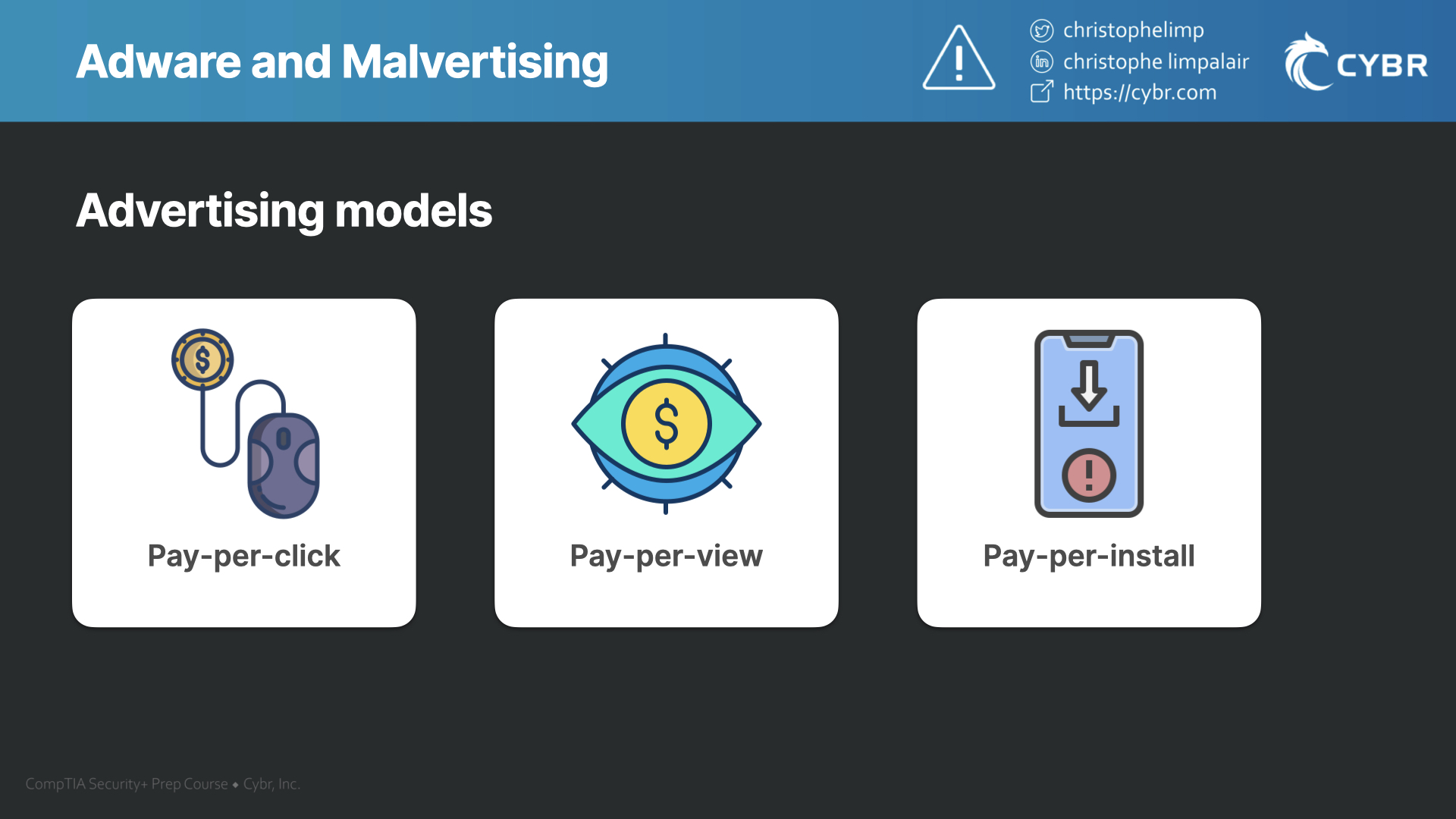
Ads typically pay in one of 3 ways:
- Pay-per-click — the developers get paid each time you click on an ad
- Pay-per-view — the developers get paid each time an ad loads in front of a user
- Pay-per-install — the developers get paid each time bundled software is installed on a device
I recently had a situation with adware that made me uninstall a weather application I had been using for over a year. The app itself worked fine, but the developers thought it would be a great idea to add clickjacking to their application in order to increase revenue.
Clickjacking is a technique used to trick a user into clicking on something other than what the user thought they were clicking on. So after this update, I would go to click on my daily weather report in the app, but instead of taking me to the daily weather screen, it would pop up a bunch of ads.
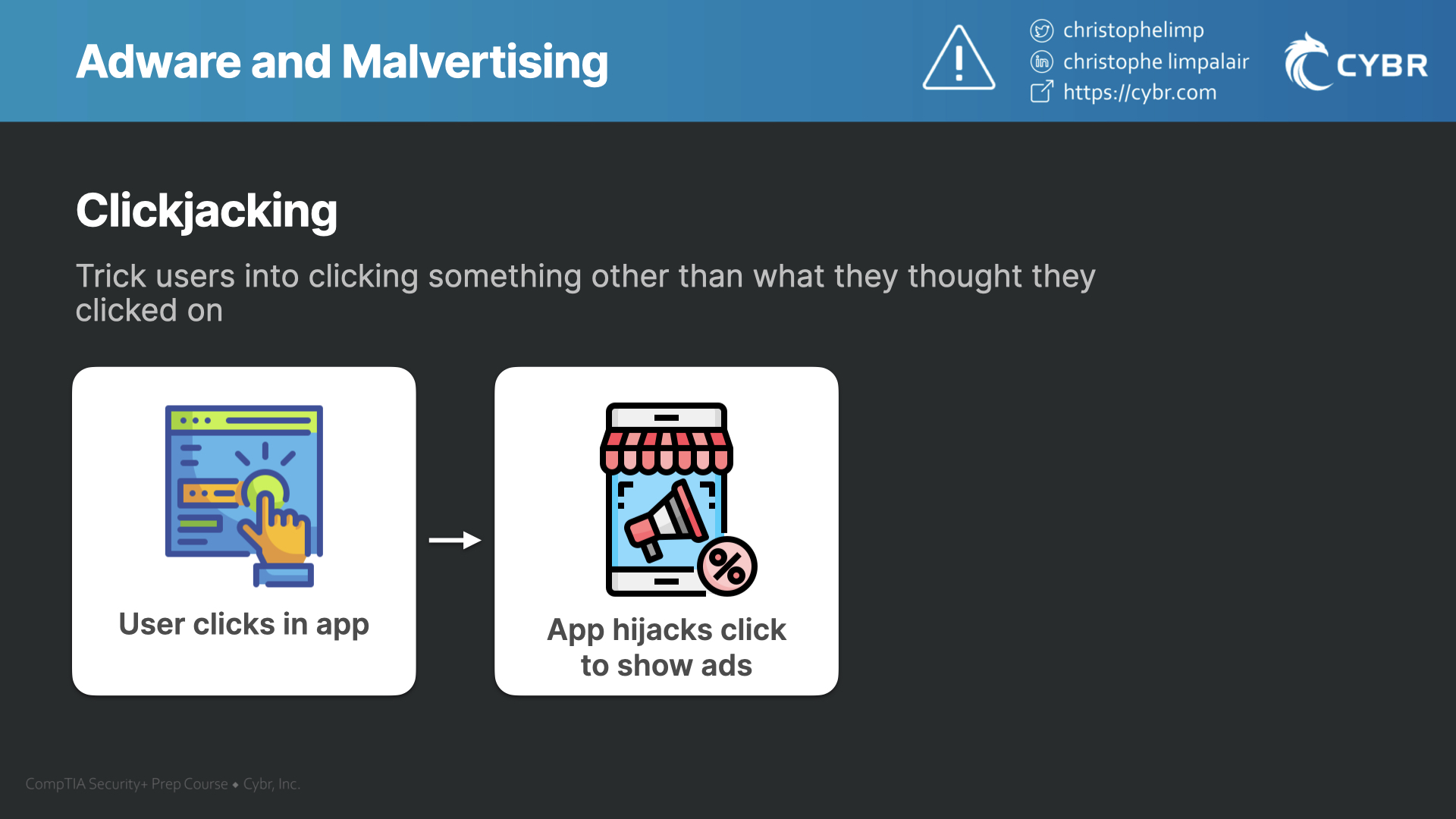
The developers are likely getting paid via the pay-per-click model, and potentially also the pay-per-view model, and so by tricking my click, they can charge advertisers for a click, and for one or more ad views.
Not only is this a terrible user experience, but it can also be unethical or potentially illegal depending on the agreements they have with those 3rd party advertisers.
Malvertising
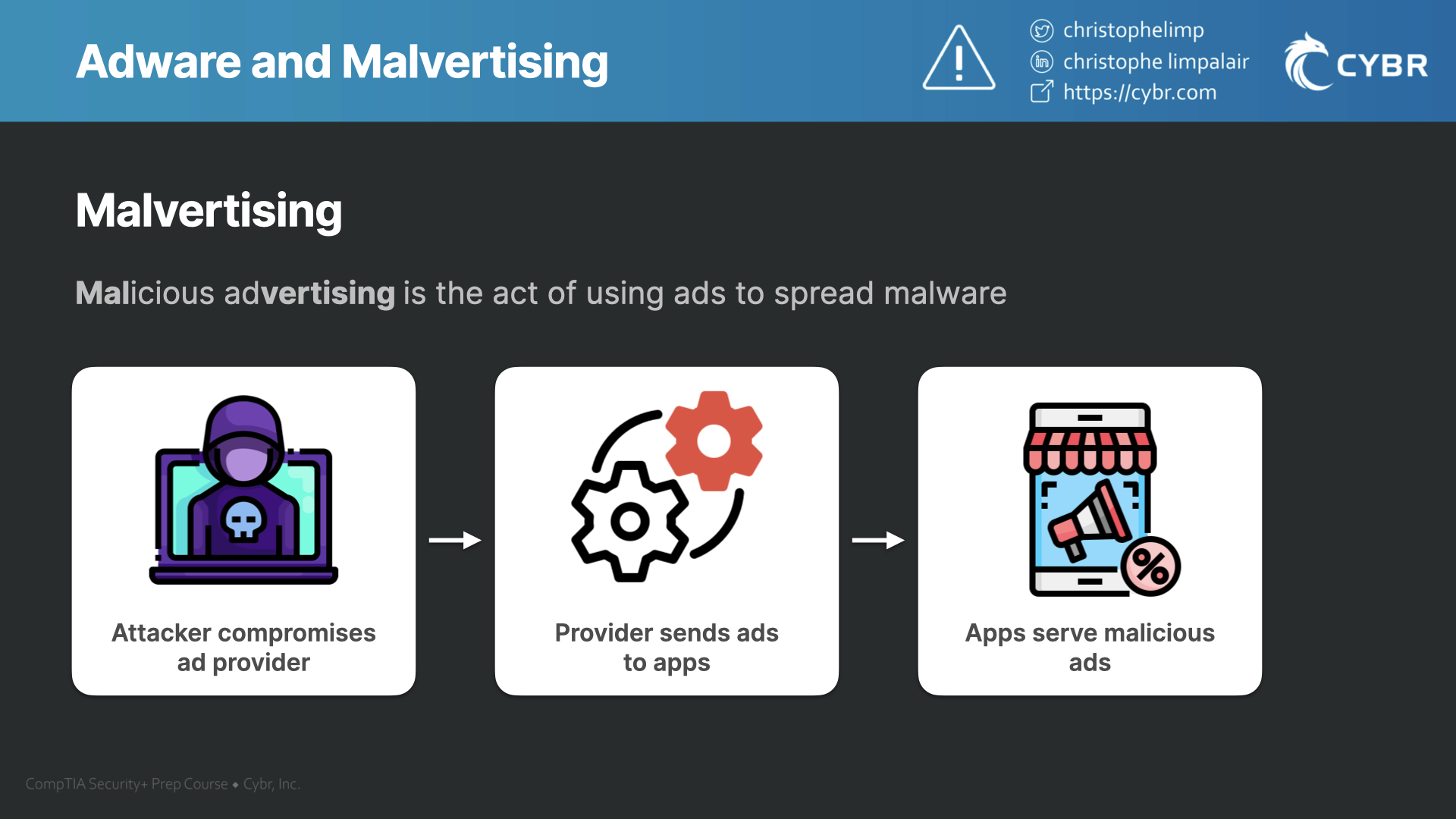
In addition, it can also be dangerous to the end-user, because ads don’t have a history of being the most secure. If the ad exchange provider’s systems become compromised, they could be sending ads that contain malware that gets downloaded as soon as you click on it. This is referred to as Malvertising. By forcing users to click on ads, you increase the odds of that happening.
Adware can be malicious in other ways. For example, you could be downloading adware without even realizing it through Potentially Unwanted Applications. It could be buried in the license agreement that no one reads, or as a tiny option in the fine print that you have to uncheck. If you miss it, or if the developers outright hide it, then you will be installing adware on your system alongside whatever else software you were originally trying to install.
This is not only incredibly annoying, but it could also be serving you malicious ads.
How to tell if you have adware
Adware is one of those that’s extremely easy to spot…you will start to see ads everywhere. You could be navigating around your device casually, when all of a sudden, an ad appears. Or, you could be browsing on the internet and all of a sudden you see an ad appear on a website that never had ads before.

This usually also leads to slower device performance, since displaying the ads will require more compute resources, and can use up more bandwidth.
How to prevent adware
Preventing adware is the same as preventing spyware and other forms of malware. The only thing I’ll add here is that you can expect adware in most pieces of free software that you download. That’s a trade-off and a risk that you assume by saving money downloading the free version instead of a paid version.
Responses